
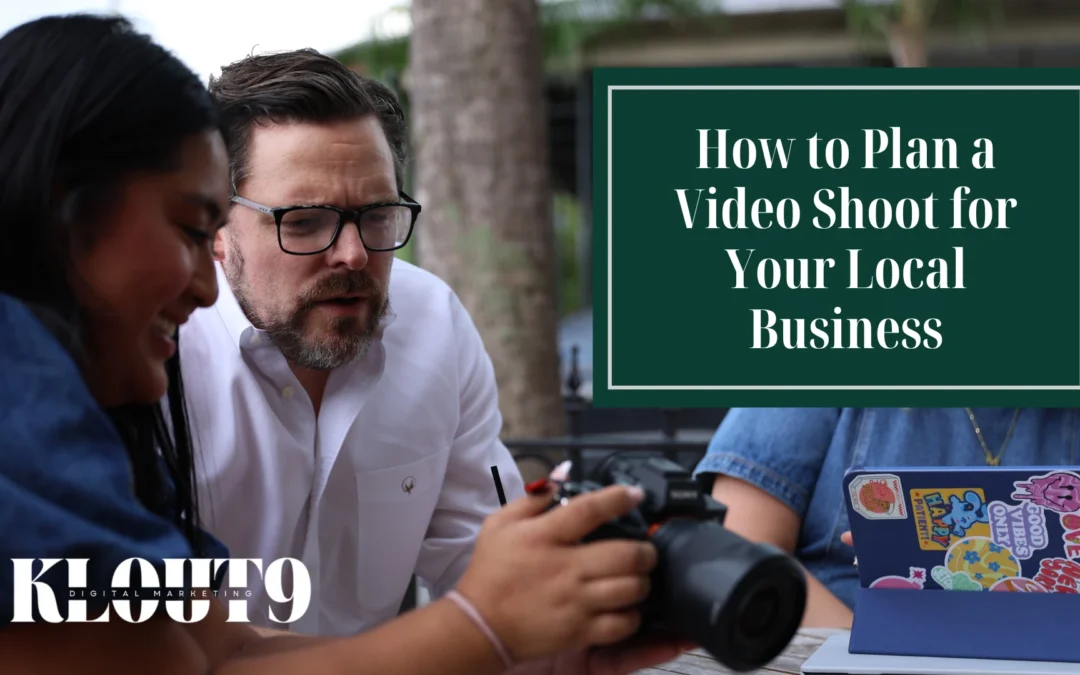
Video has become one of the most effective ways for local businesses to connect with their audience. It allows people to see your space, hear from your team, and get a feel for what you do before they ever walk through your door. Yet many business owners still put it off because the process can feel overwhelming or expensive.
It does not have to be either of those things. With some upfront planning, a video shoot is very doable, even if you have never done it before.
This guide walks through the full process, starting with defining what you want your video to achieve and ending with getting it published and in front of the right audience.
It is aimed at small business owners, in-house marketing teams, or anyone who has been tasked with creating video content without much prior experience.
Start by Defining What You Want the Video to Accomplish
Every good video starts with a purpose. Before anything else gets decided, spend time on this question: what do you want someone to do, feel, or understand after watching?
Common goals for local business videos include building brand awareness, promoting a specific product or service, sharing customer testimonials, or creating content for social media. Each of those leads to a different type of video and a different approach to everything that follows.
Alongside your goal, think about who is watching. A video aimed at someone who has never heard of your business looks and sounds different from one targeting existing customers. Being specific about your audience shapes tone, content, and video length.
Set a Budget
Video production costs can vary widely depending on your approach. A smartphone shoot done in-house requires mostly time, while hiring a videographer and editor will cost more. It helps to get written estimates before committing to anything.
Breaking the budget into categories makes planning easier. Consider equipment or rental costs, any crew you may need, location fees if applicable, and post-production editing. Outlining these expenses in advance helps keep the project within your intended budget.
Develop a Concept That Connects to Your Goal
Once you know what you want the video to achieve and how much you can spend, you can start developing the concept. This is where you decide what kind of video to create.
Common formats for local businesses include interview-style videos, behind-the-scenes footage of your operation, product or service demonstrations, and customer testimonials. Each format serves a different purpose, and some will align more naturally with your brand than others.
Write a Script or at Least a Working Outline
A script does not have to be a word-for-word document read from a teleprompter. For many business videos, a structured outline of key points in the right order is enough to guide the process.
For voiceovers, it helps to write out the full text so you can time it and refine the language before filming. For interview formats, bullet points covering the main topics usually provide enough direction without making anyone feel like they are reciting lines.
Scout Your Location Before the Day of the Shoot
Your location affects more than just the visual backdrop. It also influences lighting conditions, audio quality, and how much space you have to work with.
Visit the location at the same time of day you plan to film. Observe where natural light comes from and how it changes. Listen for background noise such as HVAC systems, street traffic, or neighboring businesses. Limited space can restrict the types of shots you can capture, so confirm there is enough room to move comfortably.
If you plan to film outside your own property, check whether you need written permission or a permit. This applies to parks, public spaces, and privately owned locations.
Gather Your Equipment and Test Everything Beforehand
Having the right equipment ready ahead of time helps the shoot run smoothly and reduces delays. This includes your camera or smartphone, tripod or stabilizer, microphones, lighting, and any accessories such as extra batteries, memory cards, or chargers.
Test each piece of equipment before the shoot. Check that your camera settings are correct, your audio is recording clearly, and your lighting is consistent. Record short test clips and review them to catch any issues with focus, exposure, or sound.
Pay close attention to audio quality, since poor sound is harder to fix later. Make sure microphones are positioned properly and free from interference or background noise.
Build a Shot List So Nothing Gets Overlooked
A shot list is a written record of every shot planned for the shoot. It is one of the less glamorous parts of pre-production, but it helps keep the entire production organized on the day.
For each shot, include the type, such as wide, medium, or close-up, the subject, and any planned camera movement.
If you want to take it further, a simple storyboard can help you visualize how the video will flow before filming begins. Basic sketches with short notes are enough to communicate the idea.
Read also: Using Video Content to Stand Out in Holiday Social Media Campaigns
Schedule the Shoot and Give Yourself More Time Than You’ve Allocated
A shoot without a clear schedule can quickly become disorganized. Building a realistic timeline that accounts for setup, filming each section, and breakdown gives everyone a shared reference point.
It also helps to build in extra time. Filming often takes longer than expected, especially when working with people who are not used to being on camera. Having buffer time reduces pressure and keeps the day from feeling rushed.
Prepare Anyone Appearing On Camera
On-camera nerves often show up in the final footage, and preparation is the best way to reduce them. Share scripts or talking points with anyone appearing in the video at least a day before the shoot so they have time to get comfortable with the material.
Walk them through what the day will look like so there are no surprises. Let them know what to wear and what to avoid, such as busy patterns or colors that do not translate well on camera.
Film the Video
On shoot day, your shot list and schedule are your guide, but it’s fine to adjust as you go. If something isn’t working the way you planned, adapt.
Collect multiple takes of anything that involves dialogue or on-camera performance. Having options in the editing stage is usually worth the additional time during filming. Monitor audio levels throughout the shoot and periodically review footage to confirm exposure and focus are set correctly.
Read also: Using Video to Improve Your Google Business Profile Presence
Edit Your Footage Into a Finished Video
Post-production is where your footage is shaped into a final product. Start by organizing your clips and selecting your best takes, then build the edit based on your script or outline.
Add licensed music, text overlays or title cards, and branding elements where appropriate. When exporting, pay attention to the format and specifications for each platform. A file optimized for Instagram will have different requirements than one embedded on a website or sent through email.
Review the Video Before It Goes Anywhere
Watch the finished edit from start to finish before publishing. It also helps to have someone else on your team review it. A second set of eyes often catches issues that are easy to miss after working with the footage for hours.
Look for audio inconsistencies, awkward cuts, text errors, and overall pacing from beginning to end. Once everything is approved, export a clean master file as your final version.
Publish and Promote the Video
Once the video is complete, distribute it where your audience is most active. Share it on relevant platforms, add it to your website, and include it in email campaigns if that is part of your strategy.
If the process still feels like a lot to take on alongside everything else that comes with running a business, that is completely understandable. Our video production team at Klout 9 handles the full process, from early concept development through final delivery.
We work with businesses across Lafayette, Baton Rouge, New Orleans, Shreveport, Lake Charles, and throughout Louisiana, as well as Colorado. If you’d like to learn more about our video production services, schedule a free consultation, and we’d be happy to connect.